
What Are Minecraft Maps?
Minecraft maps are digital worlds or navigation tools inside the game. They help players explore, survive, and create new experiences. There are two main types of maps in Minecraft. The first is in-game map items. These are crafted objects players carry to see terrain, track locations, or mark points of interest. The second is downloadable custom maps. These are complete worlds made by other players. They often have adventures, puzzles, or unique challenges. Players import them into their game to explore new stories.
Minecraft maps are popular because they expand gameplay. Players can try new challenges without building everything themselves. They also allow creativity through storylines, unique builds, or custom challenges. Maps can range from small puzzle rooms to massive cities or islands. The audience for Minecraft maps is broad. Casual players enjoy quick exploration or mini-games. Creators use maps to test design skills. Streamers and content creators share their experiences with viewers, making maps a social activity.
Maps make Minecraft flexible and engaging. They encourage learning, creativity, and teamwork. Both official and community-created maps provide safe and accurate ways to explore new worlds.
Types of Minecraft Maps
Minecraft offers many types of maps. Each map type gives a unique experience. Players can pick maps based on skill, interest, or play style.
Adventure maps: focus on story-driven gameplay. They include quests, NPCs, and commands. Players explore narratives and complete objectives. These maps work well for single-player and co-op play.
Survival maps: challenge players with limited resources. Skyblock-style progression is common. They test planning and long-term survival skills. Hardcore modes make survival even more intense.
Parkour maps: are jump-based challenges. They improve player skill and timing. Speedrun-friendly designs make them fun for competitive players.
Puzzle maps: focus on logic, redstone, and riddles. They encourage problem-solving and creativity. Players must think carefully to advance.
Horror maps: create tense atmospheres with sound and visuals. Command blocks trigger scares and surprises. Players should expect a thrilling but safe experience.
PvP and minigame maps: are multiplayer arenas. They promote competition and teamwork. Many maps mimic server-style gameplay for quick matches.
Gameplay-Based Minecraft Maps
Minecraft maps cater to different gameplay styles. Players can choose maps that match how they want to play. Single-player maps work offline. They focus on story, puzzles, and personal challenges. Players can explore at their own pace. These maps are ideal for learning game mechanics or enjoying narrative adventures. Multiplayer and co-op maps encourage teamwork. Players communicate to complete objectives. Co-op maps often include shared puzzles, challenges, and missions. They teach strategy and coordination.
Competitive and speedrun maps test skill under pressure. Timed challenges push players to act quickly. Leaderboards track scores in some maps. These maps are perfect for competitive players and friends looking for challenges. Choosing the right gameplay type enhances fun. Single-player maps suit focused exploration. Co-op maps foster collaboration. Competitive maps provide thrill and replay value.
Minecraft’s gameplay-based maps allow flexibility. They cater to casual players, creators, and streamers. Each map type promotes skill-building, creativity, and entertainment. Players can switch styles anytime to keep the experience fresh. These maps make Minecraft engaging for everyone. They combine challenge, story, and fun in a safe, structured environment.
World Styles and Environments
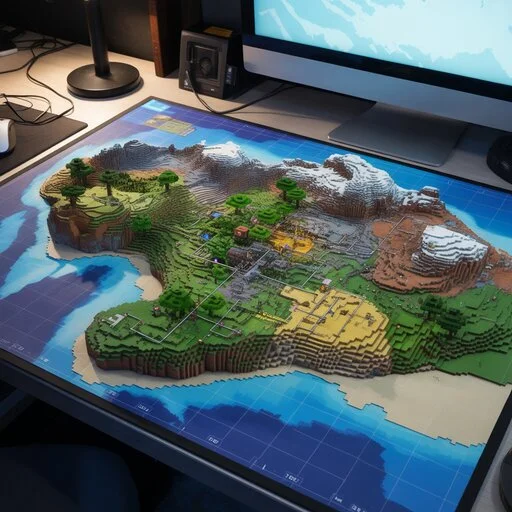
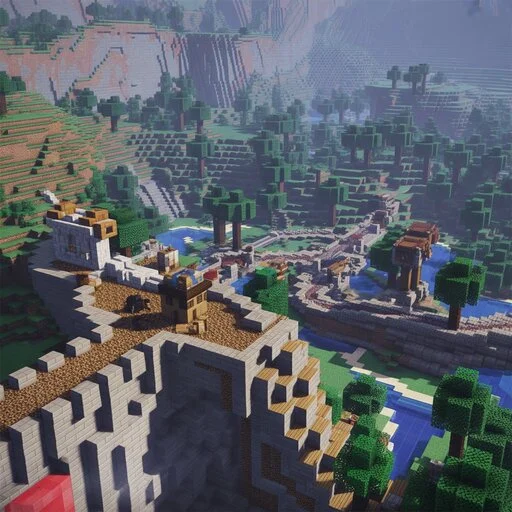
Minecraft maps come in many world styles. Each style creates a unique atmosphere and gameplay experience. City maps feature modern or realistic buildings. Streets, parks, and skyscrapers create a lively environment. Players can explore, build, or roleplay in detailed urban worlds. Fantasy and medieval worlds transport players to magical or historical settings. Castles, villages, and enchanted forests set the scene. These maps inspire creativity and adventure.
Island and Skyblock worlds focus on survival and strategy. Players manage limited resources on small floating islands. They test planning and skill under constraints. Open-world exploration maps offer vast, unstructured landscapes. Players can roam freely, discover secrets, and create their own stories. These maps encourage exploration and imagination. Underground and space-themed maps challenge players with hidden caves or futuristic worlds. They often include puzzles, hazards, and surprises. Players experience unique challenges not found in standard maps.
World styles enhance visual appeal and gameplay variety. They attract casual players, creators, and streamers alike. Maps with strong environments motivate exploration and creativity. Minecraft’s diverse worlds keep gameplay fresh. Players can switch styles, try new challenges, and enjoy endless adventures in imaginative settings.
Minecraft Maps by Platform and Edition
Minecraft maps work differently across platforms. Choosing the right edition ensures smooth gameplay and compatibility. Java Edition maps use .zip files. Players download and move them to the “saves” folder. Manual installation is required. Java maps offer full customization and work well for PCs. Bedrock Edition maps use .mcworld files. Players can import them directly into Minecraft. Bedrock maps run on Windows 10, consoles, and mobile devices. They provide a consistent experience across platforms.
Pocket Edition and mobile maps focus on performance. Large maps may affect speed or storage. Optimized maps ensure smooth gameplay on phones and tablets. Mobile maps allow play anywhere, anytime. Each edition has unique advantages. Java supports mods and advanced customization. Bedrock enables cross-platform play. Mobile maps give convenience and portability. Players should match maps to their platform. Installing the correct file format prevents errors and lost progress. Following platform guidelines maintains game stability.
Minecraft maps across all editions deliver fun and creativity. They let players explore, build, and challenge themselves safely. Choosing the right edition ensures the best experience for every type of player.
Minecraft Version Compatibility
Version compatibility matters for smooth gameplay. Using the wrong map version can cause crashes or missing features. Some maps are designed for Minecraft 1.20. Others work best on Minecraft 1.21. Each version may include new blocks, mobs, or mechanics. Maps built for older versions may not display correctly in newer ones. If versions don’t match, players may see broken structures, missing items, or map errors. In some cases, the game may fail to load the map entirely. These issues can ruin the player experience.
To check compatibility safely, read map descriptions carefully. Creators usually specify supported versions. Always match your game version to the map version. Backup your current worlds before installing new maps. This prevents data loss. Minecraft version updates also improve performance and fix bugs. Using compatible maps ensures players enjoy all features. Following version guidelines protects your game and enhances stability. Version-aware map selection is essential for both casual players and creators. It ensures smooth play, full access to map features, and a reliable experience. Correct compatibility lets players explore, build, and complete challenges without interruptions.
How to Download Minecraft Maps Safely
Minecraft maps are files that add new worlds or challenges to the game. They let players explore without creating everything themselves. Safe map files usually come in world formats. .zip files are for Java Edition, while .mcworld files work for Bedrock and mobile. Always download maps from trusted creators or official sources. Maps do not require mods or cracked launchers. Avoid files that ask for illegal software. Using official versions protects your game and computer.
Common risks include viruses, corrupted files, or broken maps. Do not download maps from unknown websites. Check reviews and community feedback before installing. Always make a backup of your current worlds. Backups prevent lost progress if a map fails to load or causes errors. Store them in a separate folder to stay safe. Following these steps ensures a safe and enjoyable experience. Players can explore new maps confidently. Safe downloading practices protect devices, maintain game stability, and build trust with the Minecraft community.
How to Install Minecraft Maps
Installing Minecraft maps is simple when you follow the steps carefully. Correct installation ensures smooth gameplay. Java Edition maps use .zip files. First, download the map and unzip it. Open the “saves” folder in your Minecraft directory. Move the unzipped map folder into “saves.” Launch Minecraft and select the map from your world list. The map should load correctly if the version matches.
Bedrock and mobile maps use .mcworld files. Tap or double-click the file to import it into Minecraft. Ensure the app has storage permissions to access the file. Once imported, the map appears in your worlds list. Launch it to start playing. Always check that the map version matches your game. Back up your existing worlds before installing new maps. This prevents accidental data loss. Following these steps ensures maps work as intended. Players can enjoy adventure, puzzles, or custom worlds safely. Proper installation protects your game and enhances performance.
Are Minecraft Maps Free?
Most Minecraft maps are free. Community creators design them and share them online. Players can download these maps without paying. Free maps include adventures, puzzles, survival challenges, and creative worlds. They allow players to explore and enjoy new content safely. These maps usually do not require mods or extra software. Some maps are paid. Marketplace worlds or premium maps may cost money. These maps often include unique features, official support, or high-quality designs. Paid maps support creators and ensure continued updates.
It is important to understand the difference between free and paid maps. Free maps provide fun without cost. Paid maps may offer enhanced experiences or exclusive content. Always check the source and respect licensing. Legal and ethical usage matters. Download maps only from trusted websites or official marketplaces. Avoid pirated or cracked files. Using official or community-approved maps protects your game and computer. Players can enjoy Minecraft safely by choosing the right map type. Free maps allow endless creativity, while paid maps support the community. Both types expand gameplay and offer hours of fun.
Best Minecraft Maps
The best Minecraft maps are judged by quality, creativity, and replay value. They must engage players and offer clear objectives. Adventure maps rank highly when they feature strong stories, puzzles, and interactive elements. Maps that balance exploration with challenges provide memorable experiences. Survival maps excel when they test planning, resource management, and endurance. Skyblock and hardcore maps often top this category. Players enjoy the sense of achievement from long-term survival.
Multiplayer maps shine when they encourage teamwork or competition. Co-op challenges, mini-games, and PvP arenas offer excitement and social interaction. Maps that support multiple players consistently gain popularity. Update frequency adds trust. Maps that receive regular improvements, bug fixes, and new content maintain player interest. Communities value maps that stay current with the latest Minecraft versions.
FAQs
Conclusion
Minecraft maps transform the game. They offer new worlds, adventures, and challenges for every type of player. Maps encourage creativity, problem-solving, and teamwork. Community-created maps build connections and inspire innovation. Choosing the right map and version ensures smooth play and prevents errors. Safe sources and backups protect your game and device.
From casual players to streamers, maps provide endless exploration and fun. They make Minecraft richer, more engaging, and full of opportunities to learn, build, and share experiences. Minecraft maps are more than extra worlds—they are gateways to imagination, skill growth, and community collaboration.