
Introduction to Minecraft Heads
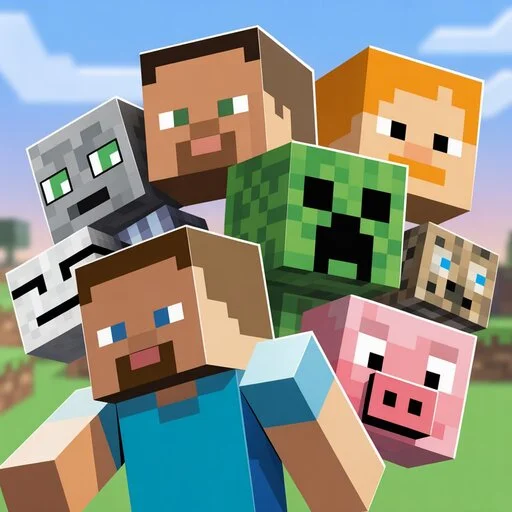
Minecraft heads are special blocks that add style and fun to your world. You can use them as decorative items, wear them as helmets, or collect them as trophies. They make builds unique and help show off your achievements. There are several types of heads. Player heads show a player’s skin. Mob heads come from creatures like creepers, zombies, skeletons, wither skeletons, and even the dragon. Custom heads let you add thousands of creative designs. Builders use them for pixel art, statues, and furniture. Players use them to decorate homes, bases, and community areas.
Minecraft heads are useful in all gameplay modes. In survival, they can serve as rare drops or trophies. In creative, they become tools for building amazing designs. Community servers often showcase head collections as rewards or decorations. This guide covers everything about Minecraft heads. You will learn how to get them in survival and creative. You will see commands for custom heads, mods, and data packs. We will explore decoration ideas, building tips, and maps. By the end, you will master heads in Minecraft.
Core Types of Minecraft Heads
Minecraft heads come in several types. Each type has unique uses in gameplay and building. Player heads show a player’s skin. You can get them in creative mode or with commands. They store skin data in NBT metadata, letting you display any player’s face. Example command. Player heads are great for trophies, team bases, or custom decorations.
Mob heads include creeper, zombie, skeleton, wither skeleton, and dragon heads. Creeper, zombie, skeleton, and wither skeleton heads drop when a mob is killed by a charged creeper. Dragon heads appear on End Ships in the End. These heads are rare and prized for survival builds and adventure maps.
Custom heads let you add thousands of designs. Websites like HeadDB and mc-heads.com offer ready-to-use commands. Custom heads use NBT data to show unique textures. Builders use them in pixel art, statues, and themed furniture. Decorative heads enhance builds. Place them on walls, shelves, or statues. Use heads in redstone setups for sound effects or creative mechanics. They add style and personality to homes, servers, and creative worlds.
How to Obtain Minecraft Heads
Minecraft heads can be obtained in survival, creative, or with mods and addons. Each method offers different options. In survival, heads are rare. Mob heads drop only when killed by a charged creeper. Creeper, skeleton, zombie, and wither skeleton heads all follow this rule. Dragon heads appear on End Ships in the End. Survival players must explore, fight mobs, and use strategy to collect them. Not all heads are easy to get, making them valuable trophies.
In creative, commands make heads simple to acquire. Use or commands. Java and Bedrock have slightly different formats. Player heads require NBT data with the correct UUID or skin value. Custom textures from libraries like HeadDB can be used directly in commands. Creative players can spawn any head instantly for builds or decoration.
Mods, addons, and datapacks make heads easier to access. Some mods increase head drop rates. Datapacks can add unique heads for mobs or players. Addons and resource packs offer aesthetic designs for decoration. These tools let players expand creativity without survival limitations.
Minecraft Heads in Building and Decoration
Minecraft heads add style and personality to builds. They work for both interior and exterior decoration. Place heads on walls, shelves, or trophy displays. Builders use them to create furniture, lamps, and tables. Even small details like a mob head on a shelf make rooms feel alive.
Pixel art and statues benefit from heads too. Place heads carefully to create faces, animals, or patterns. Builders can layer heads or mix textures for detail. Many community creations show famous pixel art made entirely from heads. These designs inspire players to explore creative possibilities.
Creative servers and adventure maps use head collections extensively. Some servers reward players with rare heads. Custom worlds often feature themed maps with mob, player, or dragon heads. These maps let players explore unique builds and collect decorative items.
Heads also encourage community interaction. Players share designs, tutorials, and head libraries. They make servers visually appealing and interactive. Whether for trophies, furniture, pixel art, or adventure maps, heads offer endless creative opportunities.
Technical Deep Dive
Minecraft heads store important data in NBT metadata. Each head keeps a texture value that defines its appearance. Player heads use the player skin value, linked to their UUID. Modifying NBT lets you change a head’s look without affecting the original player. Builders and map makers use this feature to create unique designs and custom builds.
Commands play a major role in obtaining and customizing Minecraft Heads. In Java Edition, you can use with NBT data. Bedrock Edition uses similar commands, but formats differ slightly. Advanced examples include giving multiple custom heads, spawning heads on armor stands, or applying unique textures from libraries like HeadDB. Commands also allow integration with redstone. Dispensers can place heads automatically, enabling decorations, traps, or interactive maps.
Platform differences matter. Java Edition offers more flexibility with NBT and commands. Bedrock Edition limits some NBT uses but supports most head features. On mobile (MCPE), commands and custom heads are possible but require careful input. PC players enjoy full command access and mods. Understanding these technical aspects gives advanced players control over collection, customization, and creative building.
Community and Collection Resources
The Minecraft Heads community offers countless head libraries. Websites like Minecraft-heads.com and Head DB host thousands of player, mob, and custom heads. These repositories provide ready-to-use commands for Java and Bedrock. Players can browse categories, copy commands, and add heads directly to their worlds. Community libraries ensure builders access high-quality designs safely.
Creative servers showcase heads extensively. Survival worlds often display trophies for rare achievements. Some servers reward players with unique mob or player heads. Community maps feature decorative heads in statues, pixel art, or themed builds. These worlds inspire players to explore, collect, and build creatively. Head collections also foster collaboration, as players share designs and tips.
Mods, addons, and packs expand head options. Popular custom head packs add hundreds of new textures. Behavior packs can introduce new drop mechanics or mob interactions. Resource packs enhance the appearance of heads in builds. Combining these tools allows players to customize their worlds fully. Using community resources increases creativity and trust. Libraries, servers, maps, and packs offer safe, tested, and visually appealing content. By exploring them, players gain access to rare heads, advanced builds, and inspiration for their own creations.
FAQs
Conclusion
Minecraft heads are more than decorative blocks. They serve as trophies, creative tools, and collectible items. Player heads, mob heads, custom heads, and decorative heads all add personality to your world. Survival players can hunt rare drops. Creative builders can spawn any head instantly. Commands, NBT data, and libraries expand customization.
Use heads in builds to inspire creativity. Place them on walls, shelves, or furniture. Create pixel art, statues, and themed maps. Mix textures for unique designs. Redstone and dispensers let heads interact with your world. You can automate placement or trigger effects for dynamic builds.
Advanced builders should explore NBT modification. Change textures, combine heads, and integrate them with redstone devices. Creative servers and community maps provide endless inspiration. Community head libraries like Minecraft-heads.com and HeadDB offer thousands of designs. These resources save time and expand your options.
Experiment, collect, and decorate. Minecraft heads make worlds memorable and visually appealing. Try new designs, explore commands, and share creations with the community. For full resources, visit Minecraft-heads.com or check top community maps.