
What Is Minecraft Multiplayer?
Minecraft Multiplayer lets multiple players share the same world at the same time. Players build, explore, and survive together online. Mojang Studios designed multiplayer as a core part of Minecraft. Microsoft now supports this ecosystem across platforms. Single-player focuses on personal progress. Multiplayer focuses on shared experiences. Players cooperate, compete, and communicate in real time. Worlds feel alive because real people shape them. Multiplayer supports many play styles. Friends can build a base together. Teams can defeat bosses as a group. Communities can run large public servers with rules and events.
Minecraft’s global popularity comes from this freedom. Multiplayer turns a sandbox game into a social platform. Players form friendships, teams, and long-term communities.Servers run for years with evolving stories. Minecraft supports multiplayer across official editions. Java Edition offers deep server customization. It powers most community-run servers. Bedrock Edition supports cross-platform play. Players join from mobile, console, and PC. Minecraft Realms provides official hosting by Mojang. It offers private, invite-only worlds. Mojang and Microsoft maintain strict standards. They support fair play and account security. Multiplayer uses official servers, accounts, and permissions. This system builds trust for players and parents. Minecraft Multiplayer defines how the game connects the world.
How Minecraft Multiplayer Works (Core Mechanics)
Minecraft multiplayer runs on a clear technical structure. This structure keeps worlds stable and players synchronized.Understanding these basics builds trust and prevents confusion.
Client–Server Model
Each player uses a client to play the game. The client handles controls, visuals, and sound. A Minecraft server runs the world. It controls terrain, entities, rules, and player actions. The server acts as the authority. It decides what happens in the world. Clients send actions like movement or block placement. The server validates these actions. The server syncs data constantly. It updates world changes for all players. Players see the same blocks, mobs, and events. This process ensures fairness and consistency. Mojang uses this model across editions. It protects worlds from desync and abuse.
Connection Types
LAN Multiplayer works on a local network. Players connect without the internet. This method suits home or school play. Online Servers use the internet. Players join using a server IP address. Public and private servers use this system. Minecraft Realms offers official hosting. Mojang manages uptime and security. Players join through invitations. Dedicated servers run on separate machines. They offer better performance and control. Hosted servers run through providers. They simplify setup for beginners.
Multiplayer Limits
Servers define player limits. These limits protect performance. Higher slots require stronger hardware. Versions must match. Java and Bedrock do not connect directly. Servers enforce compatibility. Whitelists control access. Permissions define player abilities. These systems keep multiplayer safe and organized.
Types of Minecraft Multiplayer Gameplay
Minecraft multiplayer supports many gameplay styles. Each type serves a different player goal.This flexibility keeps the community active and diverse.
Survival Multiplayer (SMP)
Survival Multiplayer focuses on shared progression. Players start with nothing. They gather resources together. Teams build bases, farms, and storage systems. Players explore caves and biomes as a group. They trade items and share tools. Many servers encourage long-term worlds. These worlds grow over months or years. Ender Dragon fights often become community events. Players prepare gear together. Victory feels shared and meaningful. SMP servers build strong social bonds.
Creative Multiplayer
Creative multiplayer removes survival limits. Players gain unlimited blocks. They focus on building and design. Teams create cities, maps, and monuments. Large projects need coordination and planning. Many servers assign build roles.This mode supports learning and creativity. Architects, redstone engineers, and artists work together. Creative servers often host build contests.
PvP Multiplayer
PvP multiplayer centers on combat. Players fight each other using skills and strategy. Servers offer arenas and match systems. Kits define starting gear. Rankings track performance. Competitive play attracts skilled players. Fast action keeps matches exciting.
Co-op Multiplayer
Co-op multiplayer focuses on friends. Small groups share goals. They survive, explore, and build together. This mode feels personal and relaxed. Realms often support co-op play.
Minigames Servers
Minigame servers offer quick fun. Popular games include BedWars and SkyWars. Parkour and Spleef test movement skills. Sessions stay short. Players join and leave easily. This style suits casual play.
Popular Minecraft Multiplayer Server Types
Minecraft multiplayer servers follow clear themes. Each server type targets a specific playstyle. This variety supports millions of active players worldwide.
SMP (Survival Multiplayer)
SMP servers follow classic survival rules. Players gather resources and build bases. Communities focus on long-term worlds.This type suits cooperative players and content creators.
Skyblock
Skyblock starts players on a small floating island. Resources stay limited. Progress depends on smart planning. This mode rewards efficiency and creativity.
Factions
Factions servers center on team competition. Players form groups called factions. Teams claim land and protect bases. PvP and strategy drive gameplay.
Roleplay (RP)
Roleplay servers focus on storytelling. Players adopt characters and roles. Rules guide behavior and interaction. This type suits creative and social players.
Prison Servers
Prison servers use a rank-up system. Players mine resources to progress. Economy and trading drive advancement.Clear goals keep players engaged.
Anarchy Servers
Anarchy servers have minimal rules. No protection systems exist. Players choose how they play. This mode suits experienced players.
Pixelmon
Pixelmon combines Minecraft with Pokémon mechanics. Players catch and train creatures. Servers support battles and trading. This type requires mods.
UHC (Ultra Hardcore)
UHC removes natural health regeneration. Players rely on skill and planning. Matches feel intense and short. Competitive players prefer this mode. These server types shape the multiplayer experience.
Minecraft Multiplayer by Edition
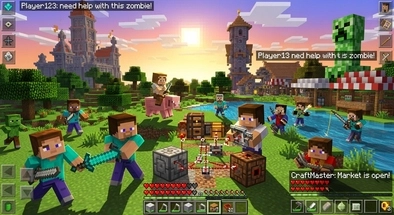
Minecraft multiplayer changes by edition. Each edition targets different players and devices. Understanding these differences builds trust and avoids confusion.
Java Edition Multiplayer
Java Edition powers most community servers. It runs only on PC.Players use Windows, macOS, or Linux. Java supports a strong plugin ecosystem. Server owners customize gameplay deeply. Popular tools include Bukkit, Spigot, and Paper. Mods add new mechanics and content. Community servers dominate this edition. Public servers host thousands of players. Private servers support friends and small groups. Java multiplayer suits advanced players. It rewards technical control and customization. This edition drives competitive and creative communities.
Bedrock Edition Multiplayer
Bedrock Edition supports cross-platform play. Players join from mobile, console, and PC. This feature expands accessibility. Microsoft maintains Bedrock networking. Players connect through Xbox services. Featured servers appear inside the game menu. Bedrock uses add-ons instead of Java mods. Customization stays simpler. Performance stays consistent across devices. Realms integrate directly into Bedrock. Friends join worlds without technical setup.
This edition suits families and casual players.
Minecraft Realms Multiplayer
Minecraft Realms offers official hosting by Mojang. Players create private worlds. Only invited users can join. Mojang manages uptime and security. No server setup is required. Worlds stay online even when owners log out. Realms limit customization. Player slots remain capped. Advanced plugins are unavailable. Realms suits trusted groups. It prioritizes safety, simplicity, and reliability.
How to Play Minecraft Multiplayer
Minecraft multiplayer setup stays simple.Follow clear steps to avoid connection issues. This guide covers common and safe methods.
Playing with Friends
LAN worlds work on the same network. One player opens a world to LAN. Other players join automatically from the menu. This method suits home or classroom play. Invites work through platform services. Bedrock players invite friends directly. Microsoft accounts manage permissions. Friends join with one click. Minecraft Realms offers the easiest option. One player creates a Realm. They send invites to friends. The world stays online at all times. Realms work best for small groups. No technical knowledge is required.
Joining a Public Server
Public servers use a server IP address. Players add the IP in the multiplayer menu. Server lists help players discover popular servers. Always match the game version. Servers reject incompatible versions. Java and Bedrock use separate servers. Read server rules before joining. Most servers enforce behavior guidelines. This protects the community.
Cross-Play Multiplayer
Cross-play works on Bedrock Edition. Players join from console, mobile, and PC. Microsoft accounts enable this feature. Java Edition does not support cross-play. Java and Bedrock use different systems. Some servers use bridges, but limits remain. Understanding these rules prevents frustration.
How to Make and Host a Minecraft Multiplayer Server
Hosting a Minecraft server gives full control. Server owners set rules, worlds, and access. This section explains safe and common methods.
Hosting Options
A self-hosted server runs on your own computer. You control hardware and files. This option requires technical knowledge. Your internet speed affects performance. Paid hosting providers simplify setup. They manage hardware and uptime. Control panels help beginners. This option offers better stability. Free server platforms exist. They limit player slots and uptime. Ads and queues are common. This option suits testing, not long-term worlds. Choose based on budget and experience.
Basic Server Setup
Start by selecting server software. Java servers use official jars or Paper. Bedrock servers use dedicated server software. Port forwarding allows external access. Routers must open the correct port. Firewalls must allow traffic. Edit server configuration files. Set game mode and difficulty. Define player limits and rules. Test the server locally first. Fix errors before inviting players.
Managing a Server
Permissions control player abilities. Admins assign roles and commands. Moderation tools prevent abuse. Anti-griefing plugins protect builds. Anti-cheat tools ensure fairness. Backups protect worlds. Schedule automatic saves. Performance optimization reduces lag. Limit entities and view distance.Good management keeps servers stable.
Mods, Plugins and Customization in Multiplayer
Customization defines advanced multiplayer servers. Server owners shape unique gameplay experiences. Choosing the right tools ensures stability and trust.
Plugins (Server-Side)
Plugins run only on the server. Players do not install extra files. This keeps access simple. Bukkit started the plugin ecosystem. It introduced basic server extensions.Many modern platforms build on it. Spigot improves performance and flexibility. It supports most popular plugins. Server owners use it widely. Paper focuses on optimization. It reduces lag and improves tick rates. Large servers prefer Paper for stability. Plugins manage permissions, economy, and protection. They support moderation and automation.
Mods (Client and Server)
Mods change core gameplay. Both server and client must match. Mismatch causes connection failures. Forge multiplayer supports large modpacks. It adds complex systems and items. This option suits experienced players. Fabric multiplayer stays lightweight. It updates faster between versions. Performance remains strong. Always check mod compatibility. Server and client versions must align. Ignoring this rule breaks multiplayer access.
Datapacks
Datapacks modify gameplay using vanilla systems. They require no mods.Servers load them directly. Datapacks add custom loot and functions. They keep worlds compatible with updates. This option suits safe customization.
Communication, Safety and Moderation
Strong communication and safety systems build trust. Minecraft multiplayer relies on clear rules. Well-managed servers protect players and communities.
Player Communication
In-game chat supports daily interaction. Players share messages in real time. Chat builds teamwork and coordination. Commands allow quick actions. Admins manage worlds and players. Players use commands for travel and utilities. Voice chat uses external tools.Discord remains the most common choice. Some servers use proximity chat mods. Voice improves coordination and social bonding. Server rules guide communication. Clear rules reduce conflict. Moderators enforce respectful behavior.
Security and Safety
Whitelists restrict server access. Only approved players can join. This method suits private servers. Anti-griefing tools protect builds. Land claim systems prevent damage. Rollback features restore destroyed areas. Anti-cheat systems detect unfair play. They block hacks and exploits. Fair play keeps communities healthy. Player reporting allows accountability. Moderators review reports. Action follows clear evidence.
Moderation Systems
Bans remove harmful players. Kicks handle minor violations. Clear punishment systems maintain order. Permissions define player roles. Admins limit powerful commands. This reduces abuse risk. Logs record player actions. Backups protect worlds from loss. Strong moderation ensures long-term stability.
Common Minecraft Multiplayer Problems and Fixes
Minecraft multiplayer issues happen often. Most problems have simple solutions. Clear troubleshooting keeps players calm and confident.
Multiplayer Not Working
Check your internet connection first. Restart the game and launcher. Sign in to your Minecraft account again. Service outages sometimes affect multiplayer. Java players should check firewall settings. Bedrock players should check Xbox service status.
Can’t Connect to Server
Confirm the server address. One wrong character blocks access. Check if the server is online. Servers may use whitelists. Admins must approve your username. Ask for confirmation politely. VPNs can block connections. Disable them if issues continue.
Version Mismatch
Servers require matching versions. Update or downgrade your game. Java and Bedrock do not mix. Many servers list supported versions. Read server details before joining. Version control prevents errors.
High Ping or Lag
High ping causes delayed actions. Distance from the server matters. Choose servers closer to your region. Close background apps. Lower render distance settings. Reduce entity-heavy areas. Server-side lag also exists. Admins may need upgrades.
Server Crashes
Crashes often link to mods or plugins. Remove recent additions first. Check server logs for errors. Low memory causes instability. Increase allocated RAM if possible. Regular backups protect progress. Calm troubleshooting solves most multiplayer problems.
Benefits of Minecraft Multiplayer
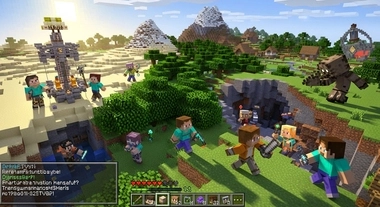
Minecraft multiplayer offers more than gameplay. It creates shared experiences. These experiences keep players engaged for years.
Social Interaction
Multiplayer connects people across the world. Players communicate through chat and voice. Friendships form through shared goals. This interaction builds confidence. You learn cooperation and respect. Parents value this controlled social space.
Teamwork and Creativity
Multiplayer encourages teamwork. Players plan builds together. Each member contributes skills. Large projects need coordination. Creative ideas improve through collaboration.Problem-solving becomes faster in teams. Redstone engineers, builders, and explorers work together. This balance boosts creativity.
Long-Term Replayability
Single-player worlds often end quickly. Multiplayer worlds continue evolving. New players bring new ideas. Servers add events and updates. Economies and storylines grow over time. Players return because the world feels alive.
Community Building
Communities form around shared rules. Servers develop unique cultures. Players feel a sense of belonging. Moderated spaces stay safe and welcoming. Trusted communities last for years. Minecraft multiplayer builds lasting value.
FAQs
Conclusion
Minecraft multiplayer stands at the heart of the game. It turns a sandbox into a shared world. Players shape experiences together, not alone. Multiplayer supports endless playstyles. You can survive, build, compete, or roleplay. Every server offers a different story. This variety keeps Minecraft fresh. Communities drive Minecraft’s longevity. Players return because worlds evolve. Events, updates, and new members change gameplay. Strong moderation builds trust and safety.
Mojang and Microsoft continue supporting multiplayer. They improve security and accessibility. This commitment protects players and families. Exploring multiplayer opens new possibilities. Try different servers and modes. Find a community that fits your style. Minecraft lasts because people play together.