
Introduction to Minecraft Servers?
Minecraft servers let players connect and play together online. They run as shared worlds on dedicated computers. Players join using an IP address or built-in server lists. Servers power Minecraft multiplayer. They allow teamwork, competition, and large communities. You can build together, trade items, or battle other players. Single-player worlds cannot offer this experience. In single-player, one player controls the world. The game runs only on your device. Friends cannot join unless you open a local session. Progress stays private and limited.
In multiplayer worlds, the Minecraft Servers controls everything. The world stays online all the time. Players can join from different locations. Rules stay consistent for everyone. Admins manage gameplay, safety, and performance. Servers also support custom features. They add new game modes and economies. They use plugins, mods, and custom maps. This flexibility makes Minecraft last for years. Mojang and Microsoft officially support servers. The Minecraft Wiki documents server systems in detail. Large networks like Hypixel prove their scale and stability.
What Are Minecraft Servers?
Minecraft servers are online systems that host shared Minecraft worlds. They allow many players to play in the same world at once. The server controls the world, not the player’s device. A server stores world data. It manages players, mobs, blocks, and game rules. This design keeps the world stable and fair.
In multiplayer, theMinecraft Servers acts as the main computer. Every player connects to it over the internet. The server updates the world in real time.
For example:
Server hosting keeps the world online.
A hosting system provides:
Players join servers in simple ways:
Types of Minecraft Servers
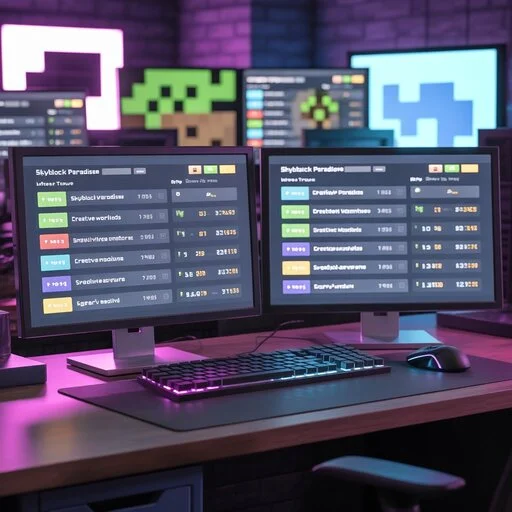
Minecraft servers come in many forms. Each type offers a different play style. Players choose based on goals and skill level.
Survival servers follow classic Minecraft rules. Players gather resources and fight mobs. Most servers keep vanilla survival gameplay.
Many add extra systems:
Creative Minecraft Servers focus on building. Players get unlimited blocks. They can fly and build freely. Most use plot systems. Each player gets a protected build area. This system keeps builds safe and organized.
Hardcore servers raise the difficulty. They use permanent death rules. Death may cause a ban or reset. This mode attracts skilled players. Every decision carries risk.
Skyblock servers start players on small islands. Resources feel limited at first. Progression unlocks new content over time. Challenges drive creativity and planning.
Factions servers focus on teams. Players form groups and claim land. Raiding and PvP play a major role. Strategy matters as much as combat.
Prison Minecraft Servers use rank-based progression. Players mine resources to rank up. An economy controls upgrades and perks.
Minigame servers host short matches. Popular modes include BedWars and SkyWars. Fast gameplay keeps players engaged.
SMP servers support shared survival worlds.They focus on trust and community. Content creators often run them.
Roleplay servers tell stories. Players follow custom rules and lore. Immersion matters more than winning.
PvP servers center on combat skill. They use arenas and ranked fights. Fair balance remains a top priority.
Minecraft Java vs Bedrock Servers
Minecraft servers differ by game edition. Java and Bedrock servers serve different player needs. Understanding this difference builds trust and avoids confusion.
Java servers run only on PC. They support deep customization. Most public servers use this edition.
Key features include:
Bedrock Minecraft Servers support many devices. Players can join from mobile, console, and PC. This design enables true cross-platform play.
Important traits include:
Cross-play works only on Bedrock Edition. All players must use Bedrock-compatible devices. Java and Bedrock cannot connect together.
Limitations still exist:
| Feature | Java Servers | Bedrock Servers |
| Platform | PC only | PC, mobile, console |
| Mods | Extensive | Limited |
| Customization | Very high | Moderate |
| Cross-play | No | Yes |
How to Join a Minecraft Server
Joining a Minecraft server is simple. You only need the correct game edition and server details. Most players join within minutes.
Choose a server that matches your edition. Check if it supports Java or Bedrock. Read the rules before joining.
Trusted sources include:
Every server uses a unique IP address. Some also use a port number. Copy it exactly as shown.
Launch Minecraft on your device. Make sure your game version matches the server.
For Java Edition:
For Bedrock Edition:
Minecraft Server Features and Mechanics
Minecraft servers include many features that shape gameplay. Understanding these mechanics builds trust and expertise.
Each server uses a unique IP address. Ports help Minecraft connect to the correct server process. Players must enter both correctly to join.
Servers set maximum player numbers. Slots prevent lag and overcrowding. Popular servers often reach hundreds of simultaneous players.
Uptime is the time a server stays online. High uptime ensures players can join anytime. Downtime can frustrate communities and reduce trust.
Servers use anti-cheat tools to prevent hacks. Common measures stop speed hacks, fly cheats, and item duplication. Fair gameplay keeps communities healthy.
Admins assign roles: owner, moderator, or member. Permissions control commands and access levels. This ensures structure and safe management.
Many servers have virtual economies. Players earn currency to trade, buy items, or rank up. Economy mechanics increase engagement and competition.
Land claim systems protect player builds. Prevents griefing and unauthorized modifications.
Whitelist servers restrict who can join. Public servers allow everyone. This choice affects security and community quality.
Admins enforce rules consistently. Bans, mutes, and warnings maintain fairness. Clear rules reduce conflicts and improve player experience.
Modded and Custom Minecraft Servers
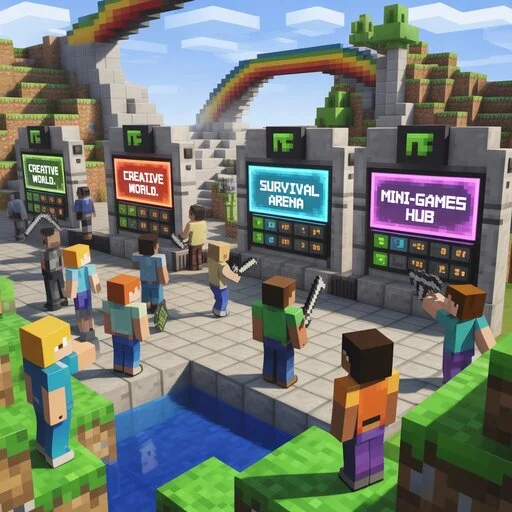
Modded servers change standard Minecraft gameplay. They add new features, items, and mechanics. Players enjoy unique experiences beyond vanilla worlds.
Pixelmon servers combine Minecraft with Pokémon. Players can catch, train, and battle creatures. RPG and tech mods add quests, machines, and automation. These servers appeal to creative and strategic players.
Plugins modify gameplay without changing the core game. Popular platforms include Spigot and Paper. They allow economy systems, minigames, and custom commands. Plugins keep servers stable while adding flexibility.
Forge servers support large, complex mods. Fabric servers focus on lightweight, high-performance mods. Choice depends on mod type and server goals. Many modpacks require Forge for full functionality.
Custom maps create new worlds with unique challenges. Adventure, puzzle, and parkour maps are common. Resource packs alter textures, sounds, and visuals. They enhance immersion and player engagement. Modded and custom servers expand creativity. They attract communities with specific interests. Players stay longer due to unique gameplay.
Minecraft Server Hosting Explained
Minecraft server hosting provides a computer to run your world online. It keeps the server active, secure, and accessible for players.
Free hosting is easy to start but has limits. Player slots, uptime, and performance may be restricted. Paid hosting offers better stability, more resources, and support. Large communities usually prefer paid options.
Dedicated servers give full hardware control for one world. VPS (Virtual Private Server) shares hardware but isolates your server. Cloud hosting distributes resources across multiple machines for reliability. Choice depends on player count, mods, and performance needs.
RAM stores world data and handles player actions. Low RAM causes lag or crashes on busy servers. CPU power affects mob processing, redstone, and plugins. High-performance servers run smoothly even under heavy load.
Hosting often includes control panels like Multicraft. Panels manage backups, server restarts, and configuration. They simplify administration without technical expertise.
Lag ruins gameplay and trust.
FAQs
What are the best Minecraft servers?
The best servers match your play style. Popular options include Hypixel (minigames), 2b2t (anarchy), and HermitCraft (SMP). Check server rules, uptime, and community before joining.
Are Minecraft servers free?
Some servers are free to join. Free servers may have limited slots or features. Paid servers offer more stability, mods, and larger communities.
Is it safe to join public servers?
Public servers are open to anyone. Many are safe with proper rules and anti-cheat systems. Avoid servers with no moderation or cracked access for security.
What is the difference between Java and Bedrock servers?
Java servers run on PC only and allow heavy mods. Bedrock servers are cross-platform and support mobile and console. Java offers more customization; Bedrock offers easier access.
How do I create my own Minecraft server?
Choose hosting: local PC, VPS, or cloud. Install the correct server software for your edition. Set rules, plugins, and whitelist if desired. Share your server IP for players to join.
Can cracked players join servers?
Cracked servers allow unlicensed Minecraft copies. They carry risks: security issues, hackers, and limited support. Official servers do not support cracked accounts.
Conclusion
Minecraft servers bring multiplayer worlds to life. They let players build, explore, compete, and collaborate online. Choosing the right server type—survival, creative, minigames, or modded—matches your play style. Safety and management matter: well-moderated servers prevent cheating and protect builds.Reliable hosting, clear rules, and active staff create lasting communities. Players should use official or trusted servers and avoid cracked or unmanaged ones. By understanding server types, features, and hosting, you can make informed choices.