
What Is a Minecraft Zombie Mod APK?
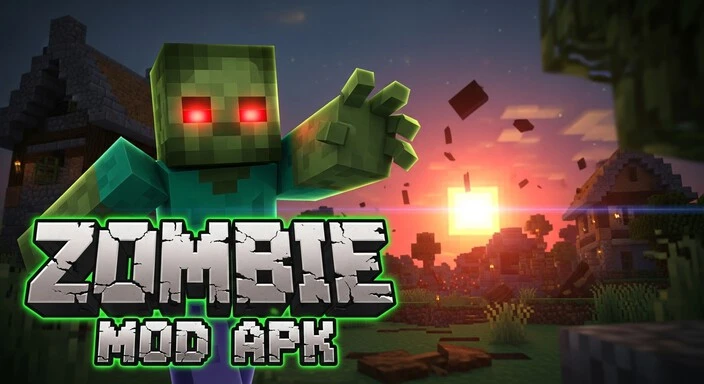
Many players want more danger in Minecraft. The base game feels easy once you know the patterns. Zombie mods fix this. These mods push you into real survival. You face faster mobs, stronger attacks, and new threats.Most zombie addons add fresh systems. You deal with infections, limited loot, and rough nights. Some mods change your world with bunkers, camps, and ruined towns. Many also bring new weapons that help you break through large hordes.
Popular packs shape this style of gameplay. Raboy’s Zombie Apocalypse gives you camps and crafted tools. Cursed Walking slows every fight and forces careful movement. Zombie Apocalypse Ultimate Mod hits you with heavy mobs and brutal night events. These addons turn a calm world into a tense fight for safety.
This guide focuses on Android, MCPE, and Bedrock Edition. Java mods use different systems, so they don’t fit this guide. Here, you get clear steps, working download paths, and support for MCPE players.
What It Is and Why Players Love It?
A Minecraft Zombie Mod APK is a modified game file. It changes the original Minecraft PE experience. Players use it to add zombies, weapons, and survival challenges.APK stands for Android Package Kit. It allows you to install apps outside the Google Play Store. This is how modded content reaches mobile Minecraft players.APK mods differ from Bedrock addons. Addons use behavior packs and resource packs inside the game. APK mods replace or add files directly to Minecraft PE.
Addons are easier to manage. APK mods can offer larger gameplay changes and new mechanics.Always download from trusted sources. MCPEDL and CurseForge provide verified mods. APKPure offers multiple versions but check files before installing. Avoid unknown links or sketchy sites—they may harm your device.
Using a safe source ensures your Minecraft world stays stable. You get working zombie variants, hordes, and structures without malware risks.
Why Players Install Zombie Mods
Players want harder survival. Vanilla Minecraft feels safe once you know the mechanics. Zombie mods make each night risky.Random horde attacks add tension. You never know when zombies will swarm your base. This keeps players alert.The infection system adds strategy. Some mods force players to craft cures or manage health carefully. It changes normal survival gameplay.Mods introduce new weapons and armor. Melee weapons, guns, and crafted gear help fight bigger mobs and bosses.
Zombie variants and bosses bring variety. Fast zombies, tank mobs, and mutants challenge players differently than regular mobs.Better nighttime tension makes nights dangerous. Darkness becomes deadly with larger hordes and stronger enemies.Mods encourage adventure-style exploration. Looting abandoned towns, entering bunkers, and exploring ruined landscapes makes survival exciting.
Best Minecraft Zombie Mods & Addons
1. Zombie Apocalypse Craft Mod
Adds hordes, barricades, and loot crates.
Survivors appear in random locations.
Difficulty suits intermediate players.
Use smaller worlds for faster performance.
2. Zombie Apocalypse Ultimate Mod
Minecraft Zombie Mod APK Mobs are stronger and mutate over time.
Armor-piercing claws make fights intense.
Perfect for long survival worlds.
Adjust spawn rates for balance.
3. Cursed Walking
Zombies move slower but hit harder.
Infection spreads during fights.
Requires careful planning.
Ideal for long-term survival gameplay.
4. Raboy’s Zombie Apocalypse
Minecraft Zombie Mod APK Craft weapons using special materials.
Explore custom structures and survivor camps.
Supports roleplay survival adventures.
Medium difficulty keeps beginners challenged.
5. Project Walker Zombie Apocalypse
Combines survival and exploration elements.
Loot abandoned buildings for resources.
Random structures increase replay value.
Good for players seeking variety.
6. Zombie Horde Mod (MCPE)
Triggers massive waves of zombies at night.
Random events keep gameplay unpredictable.
Survival becomes tense and exciting.
Adjust horde size in settings.
7. Mutant Zombies Mod APK
Features giant mutant bosses.
Endgame survival challenge for experienced players.
Adds variety to normal zombie encounters.
Recommended for advanced MCPE users.
8. Zombie Infection Mod
Minecraft Zombie Mod APK Shows infection bar and health decay.
Craft cures to survive longer.
Adds realistic survival pressure.
Works with other zombie addons.
9. Zombie Apocalypse Remastered
Updated zombie models and more mobs.
Runs smoothly on low-end devices.
Great for mobile players seeking content-rich mods.
Easy to install on MCPE.
10. True Survival Zombie Apocalypse (MCPE Top Pick)
Multi-stage survival mechanics with loot and diseases.
Weather adds challenge and variety.
Perfect for hardcore players.
Integrates well with Bedrock worlds.
Version-Based Compatibility
Minecraft vs Roblox PE versions matter.
Most top mods support MCPE 1.21, 1.21.2, 1.21.20, and 1.21.70.
Android versions 11, 12, 13, and 14 work best.Bedrock limitations exist.
Some mods require both behavior and resource packs.
Java mods cannot run on Android or Bedrock.
Minecraft Zombie Mod APK Always match mod version with your game version to prevent crashes.
How to Download & Install Minecraft Zombie Mod APK on Android
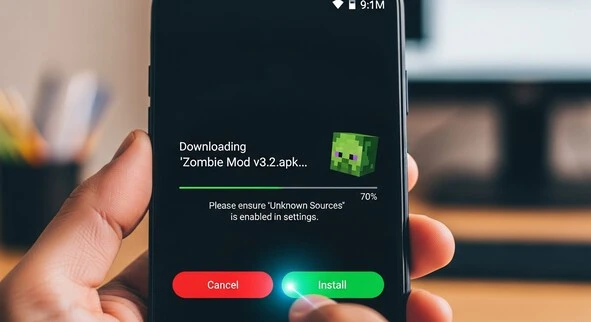
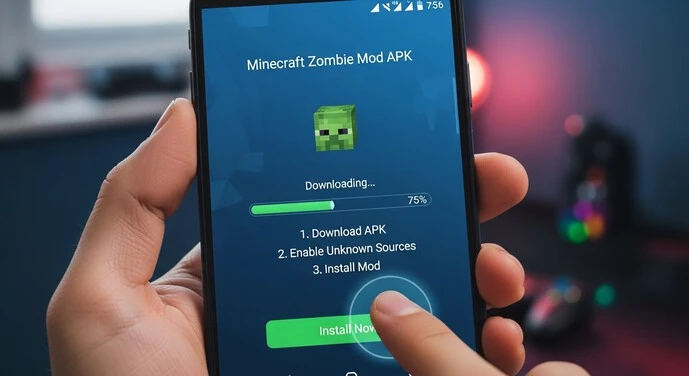
Go to phone settings.
Find Security or Apps.
Allow installations from unknown sources.
Use trusted platforms: MCPEDL, CurseForge, or APKPure.
Choose the version that matches your MCPE.
Some mods come as ZIPs.
Use a file manager to extract them.
Open MCPE.
Import behavior packs and resource packs.
Ensure both are active in your world.
Close the game completely.
Restart to apply changes.
Open world settings.
Enable the imported packs.
Check that all features load correctly.
Create a new world or backup your old world.
Test mod features: zombies, hordes, weapons, structures.
Safety & Verification Checklist
1. Avoid Short-Link Traps
Do not click unknown shortened links.
They may hide malware or fake downloads.
2. Check File Size & Author Name
Verify the mod matches expected size.
Confirm the author is trusted.
3. Prefer Trusted Platforms
Use MCPEDL, CurseForge, or APKPure.
They provide verified mods and addons.
4. Scan Files Before Installing
Use antivirus scanners on APKs.
Check ZIP or RAR files for hidden threats.
5. Avoid Suspicious “Mod Menu” APKs
Some mod menus contain ads or malware.
Stick to standard mod APKs and Bedrock addons.
Core Features You Get With Zombie Mods
- Fast zombies chase players relentlessly.
- Tank zombies absorb heavy damage.
- Crawlers sneak under obstacles.
- Infectious mobs spread disease.
- Boss mutants appear rarely but hit hard.
- New weapons improve fighting efficiency.
- Craft-only guns add ranged attacks.
- Explosives clear large zombie groups.
- Melee upgrades increase sword and axe damage.
- Safehouses, bunkers, labs appear as lootable structures.
- Ruined cities create high-risk zones.
- Random wasteland spawns make each world unique.
- Blood moon nights increase zombie spawns.
- Fog, ash, storms reduce visibility.
- Infection zones force careful navigation.
- Hunger boosts challenge food management.
- Disease mechanics require crafting cures.
- Injuries slow movement and reduce attack power.
- Limited resources make looting essential.
Best Addons for Bedrock Edition
1. True Survival Zombie
Multi-stage survival challenges with disease and weather.
Runs smoothly on mobile devices.
2. Zombie Apocalypse V2 (MCPE)
Large hordes and mutated zombies.
Supports long-term survival gameplay.
3. Zombified Addon
Adds new zombie types and night events.
Lightweight and easy to install.
4. Zombie Apocalypse Versus Mods
Enables PvP survival with zombies.
Fun for multiplayer worlds.
5. Lost Cities Zombie Apocalypse (Converted Maps)
Generates ruined cities with zombie spawns.
Perfect for exploration and looting
Comparison Tables
Table 1: Mod Complexity vs. Device Performance
| Mod Name | Complexity | Device Needed | Suitable For |
| Zombie Apocalypse Craft Mod | Medium | Mid-range | Casual to intermediate |
| Zombie Apocalypse Ultimate Mod | High | High-end | Experienced players |
| Cursed Walking | Medium | Mid-range | Long-term survival |
| Raboy’s Zombie Apocalypse | Medium | Mid-range | Roleplay & survival |
| Mutant Zombies Mod APK | High | High-end | Endgame challenge |
Table 2: Best Mods for Beginners vs. Hardcore Players
| Category | Recommended Mods | Why |
| Beginners | Zombie Apocalypse Craft Mod | Balanced difficulty |
| Beginners | Raboy’s Zombie Apocalypse | Easy crafting |
| Hardcore | Zombie Apocalypse Ultimate Mod | Strong mobs |
| Hardcore | True Survival Zombie Apocalypse | Multi-stage survival |
| Hardcore | Mutant Zombies Mod APK | Endgame challenge |
Table 3: APK vs Addon vs Modpack (Quick Breakdown)
| Type | Platform | Difficulty | Safe Sources |
| APK | Android MCPE | Medium–High | MCPEDL, APKPure |
| Addon | Bedrock Edition | Low–Medium | MCPEDL, CurseForge |
| Modpack | PC / Java | High | CurseForge, ModDB |
Troubleshooting Minecraft Zombie Mods
Check mod version matches your MCPE.
Disable conflicting addons.
Restart the game and device.
Ensure all packs are active.
Verify the resource pack is imported.
Clear cache if textures fail to load.
Avoid activating multiple mods altering the same zombie files.
Use one major addon at a time.
Delete unused worlds or backups.
Ensure enough free space for mods.
Enable both packs in world settings.
Restart MCPE after importing.
Java mods require PC Forge or Fabric.
They cannot run on Android or Bedrock Edition.
Top Questions Players Ask (FAQs)
Conclusion
Minecraft Zombie Mod APK and Bedrock addons completely change survival gameplay. They add challenging hordes, unique zombies, and realistic infection mechanics.Beginners can start with Zombie Apocalypse Craft Mod, while hardcore players can tackle True Survival Minecraft Zombie Mod APK Apocalypse or Mutant Zombies Mod APK.Always download from trusted sources like MCPEDL, CurseForge, or APKPure to keep your device safe.Experiment with different mods, explore new structures, and test survival strategies to make every world unique and exciting.
Minecraft Zombie Mod APK and Bedrock addons completely transform the traditional survival gameplay into a high-stakes, adrenaline-filled experience. These mods introduce challenging zombie hordes, unique mob behaviors, and realistic infection mechanics that force players to rethink survival strategies. Every encounter becomes unpredictable, adding tension and excitement to both casual and hardcore gameplay.
Beginners can start with the Zombie Apocalypse Craft Mod, which offers manageable hordes, simple infection systems, and clear objectives for new players. Hardcore players seeking intense challenges can try mods like True Survival Minecraft Zombie Mod APK Apocalypse, Mutant Zombies Mod APK, or custom hardcore zombie scenarios. These mods introduce larger mobs, stronger bosses, dynamic events, and survival mechanics that test resource management, combat skills, and planning under pressure.
Minecraft Zombie mods are compatible with both Java Edition and Bedrock Edition (via APK or addon formats). Players can experiment with different mods, explore new structures like abandoned towns or bunkers, and develop creative survival strategies. Some mods even include custom weapons, barricades, and defensive tools, allowing players to design fortified bases and traps to withstand waves of zombies.
Safety and reliability are crucial when downloading mods. Always use trusted platforms such as MCPEDL, CurseForge, or APKPure. Avoid unofficial APKs or sketchy sites, which can carry malware, corrupt saves, or compromise your account. Verified sources ensure that mods are up-to-date, compatible with your Minecraft version, and tested by the community.
By combining multiple mods, addons, and resource packs, players can create unique zombie survival worlds that feel fresh with every playthrough. Whether building a secure bunker, navigating a zombie-infested city, or surviving the apocalypse with friends on multiplayer servers, these mods push Minecraft gameplay to new levels of creativity, strategy, and excitement.
Start your Minecraft zombie adventure today and transform your world into a true survival challenge in Minecraft. With the right zombie-themed mods, you can increase difficulty, add smarter enemy AI, introduce new infected mobs, and create apocalyptic environments that completely change how the game feels.
Experiment with different survival mods that add features like limited resources, realistic health systems, abandoned cities, custom weapons, and wave-based zombie attacks. Some mods introduce special zombie types—fast runners, armored variants, boss zombies, or infection systems that spread if you’re not careful. This forces you to think strategically, build stronger defenses, and always stay prepared.
You can design secure underground bunkers, fortified bases with redstone traps, lookout towers, and automated defense systems. Farming food, storing medical supplies, and organizing backup gear becomes essential for long-term survival. Playing with friends in multiplayer makes it even more intense, as teamwork, communication, and shared planning can determine whether your group survives the next night.
Many players also create custom zombie maps or challenge worlds where the goal is to survive a set number of in-game days. Others combine shaders and sound enhancement mods to create a darker, more realistic atmosphere that increases immersion.
Share your survival stories, base designs, and epic last-stand moments with the global Minecraft community. Each wave of zombies becomes an opportunity to learn new strategies, improve combat skills, and test your creativity under pressure. Every world feels different, making each zombie adventure uniquely challenging, unpredictable, and exciting.