
What Is Realistic Minecraft?
Minecraft began as a simple block world built from imagination. Today, it can look almost lifelike.
Modern graphics mods and texture packs turn plain cubes into glowing sunsets, shimmering water, and deep shadows.
This evolution gave rise to the realistic Minecraft experience.
With the right setup, Minecraft feels fresh again.
You can walk through ultra realistic forests, see reflections in clear lakes, and build homes that glow at night.
Each shader adds depth, motion, and warmth the original game never had.
In this 2025 edition, we explore how to make Minecraft truly real — from texture detail to cinematic lighting.
Whether you play on PC, Android, or console, your world can look stunning without losing that classic charm.
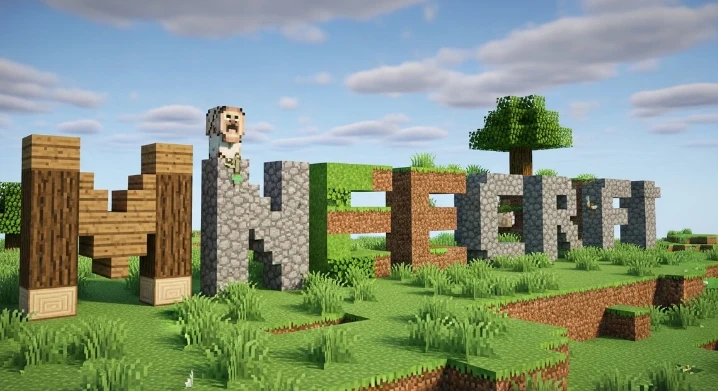
Realistic Minecraft pocket uses high-resolution textures, shaders, and mods to make the game look natural.
It focuses on lighting, water reflections, and smooth shadows instead of flat colors.
- Texture packs change how blocks look.
- Shaders add sunlight, shadows, and reflections.
- Mods combine new effects, settings, and performance upgrades.
Best Realistic Minecraft Texture Packs
Delivers sharp details and realistic materials.
Perfect for 4K monitors and RTX setups.
Try Patrix 1024x or NAPP RTX Pack for the best visuals.
Brings subtle shadows, wood grain, and weathered stone to life.
Works smoothly with BSL Shaders and OptiFine.
Optimized for Java Edition users.
Combines ultra clarity with realistic block depth.
LB Photo Realism Reload is a popular choice.
Lightweight packs made for smooth mobile play.
HomaLab HD and Clarity Bedrock keep performance high.
Best Realistic Minecraft Shaders
Adds reflective oceans, rippling rivers, and bright sunlight.
Use SEUS Renewed or BSL Shaders for natural motion.
Makes your builds glow under golden light.
Continuum and Sildur’s Vibrant give warm, even tones.
Great for players with basic systems.
Try Chocapic13 Lite or Sildur’s Lite for high FPS and clear visuals.
Uses Ray Tracing for reflections, shadows, and glass depth.
Best with NVIDIA RTX GPUs and packs like NAPP or Patrix RTX.
Realistic Minecraft Builds & Worlds
Realistic Minecraft builds blend creativity and detail.
They show how texture, lighting, and design create lifelike scenes.
Use glass, stone, and warm lighting.
Patrix Pack makes concrete and metal look ultra smooth.
Combine street lamps, glass towers, and lantern-lit paths.
BSL Shaders reflect lights beautifully at night.
Blend trees, lakes, and mist for natural depth.
Try SEUS Renewed with layered textures for realism.
Use WorldEdit or WorldPainter for large terrains.
Add cliffs, rivers, and valleys with detailed grass textures.
How to Create a Realistic Minecraft Gameplay Experience
These tools control lighting, reflections, and performance.
- 128x = smooth and fast.
- 512x–1024x = ultra HD.
Try LB Photo Realism Reload or Realistico.
SEUS, BSL, and Continuum add dynamic lighting and soft edges.
Lower render distance and shadow quality if FPS drops.
Use Sildur’s Lite or Chocapic13 Lite shaders.
Close background apps to prevent lag.
Realistic Minecraft for Each Edition
Use OptiFine, Iris, and BSL for full shader control.
Download mods from CurseForge or Modrinth.
Use Bedrock RTX packs like HomaLab HD or Stratum RTX.
Enable RTX mode under “Advanced Video Settings.”
Run PojavLauncher and lightweight packs like 128x Clarity.
Use Sildur’s Lite for balanced visuals.
Combine Patrix 1024x, Continuum Shaders, and RTX Mode.
Set resolution to 4K for true ultra realism.
Realistic Minecraft Cinematics & Photo Mode
Creators use Replay Mod for smooth camera paths.
They capture sunrise, shadows, and reflections with BSL or SEUS PTGI.
Use Replay Mod or Camera Studio Mod.
Both let you record smooth motion and timelapses.
Enable Depth of Field, Bloom, and Ray Tracing for lifelike results.
Turn off HUD for clean screenshots.
Download Section
Skip risky sites — use these trusted links and bundles.
- Shader: Sildur’s Lite
- Texture: Faithful 32x
- Mods: OptiFine / Iris
- Shader: BSL Shaders
- Texture: LB Photo Realism Reload
Get from Planet Minecraft
- Shader: SEUS PTGI
- Texture: Patrix 1024x, NAPP RTX
Safe links on BSL GitHub
Conclusion
Minecraft mods has grown from simple blocks to cinematic adventures.Realism adds texture, emotion, and beauty to every creation.Experiment with shaders, test textures, and share your worlds online.
Minecraft mods have evolved far beyond simple block changes, turning the game into a visually rich and immersive experience. Today’s realistic Minecraft mods and texture packs add detailed lighting, sharper surfaces, natural shadows, and lifelike environments that make builds feel more cinematic and engaging. From stone textures and flowing water to realistic skies and foliage, these upgrades bring new depth to every world.
Players can experiment with shaders for dynamic lighting, test high-resolution texture packs for improved visuals, and fine-tune performance to match their system. Many creators share their worlds, builds, and mod setups online, helping the community learn what works best on different devices and game versions. This hands-on sharing builds trust and keeps realistic modding accessible for both beginners and experienced players.
When choosing a realistic Minecraft texture pack, it’s important to download from well-known platforms and creators to ensure compatibility, regular updates, and safe files. Trusted packs are designed to work smoothly with popular shaders and current Minecraft versions, reducing crashes and visual glitches.
Download your favorite realistic Minecraft texture pack today and experience how improved visuals can change the way you build, explore, and play. Upgrade your world and see Minecraft in a whole new way.